Key takeaways
- Atlar has shipped a first wave of forecasting usability improvements, with forecasts powered by native integrations to NetSuite, Microsoft Dynamics, and SAP S/4HANA and existing tools such as scenario planning and variance analysis.
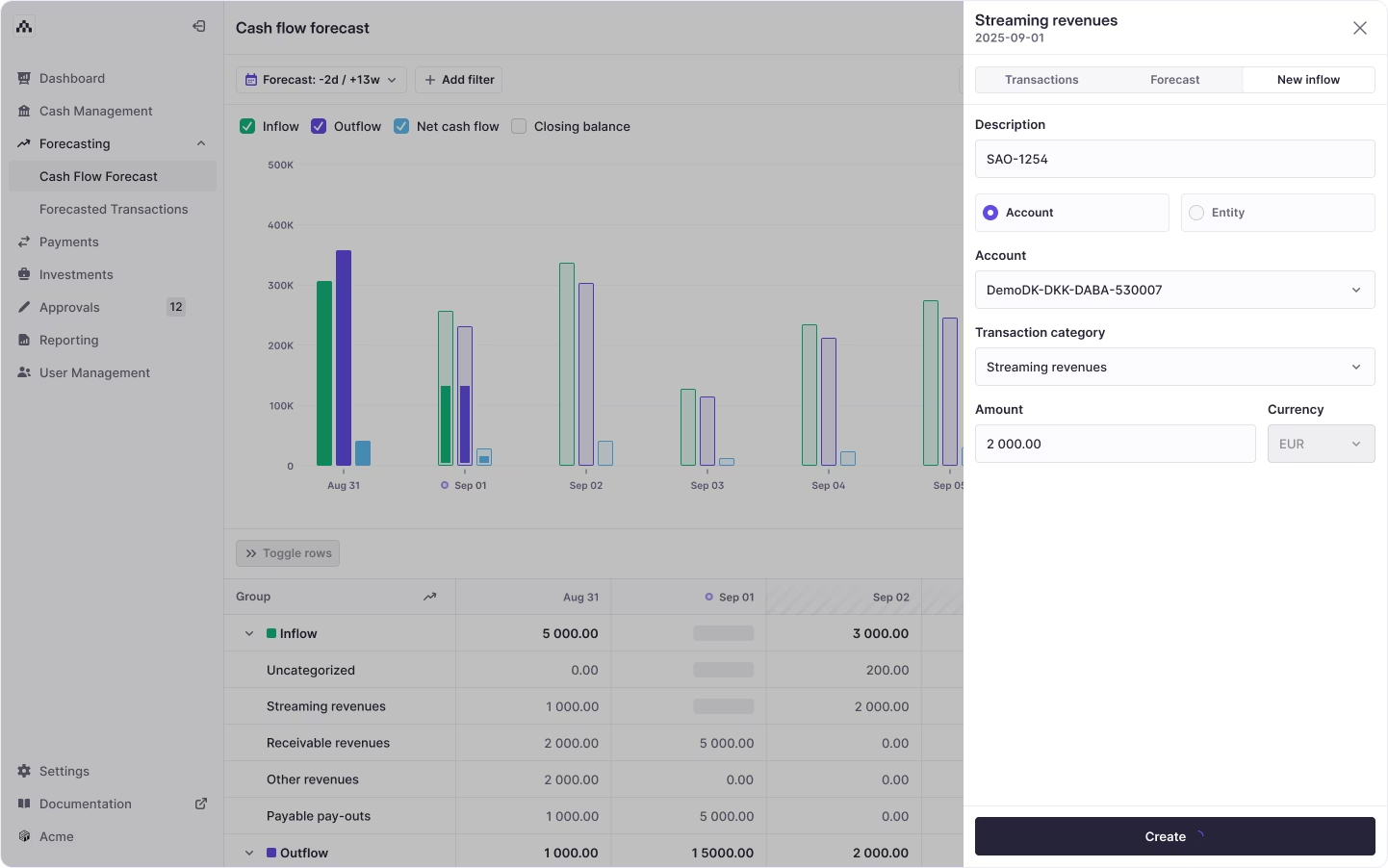
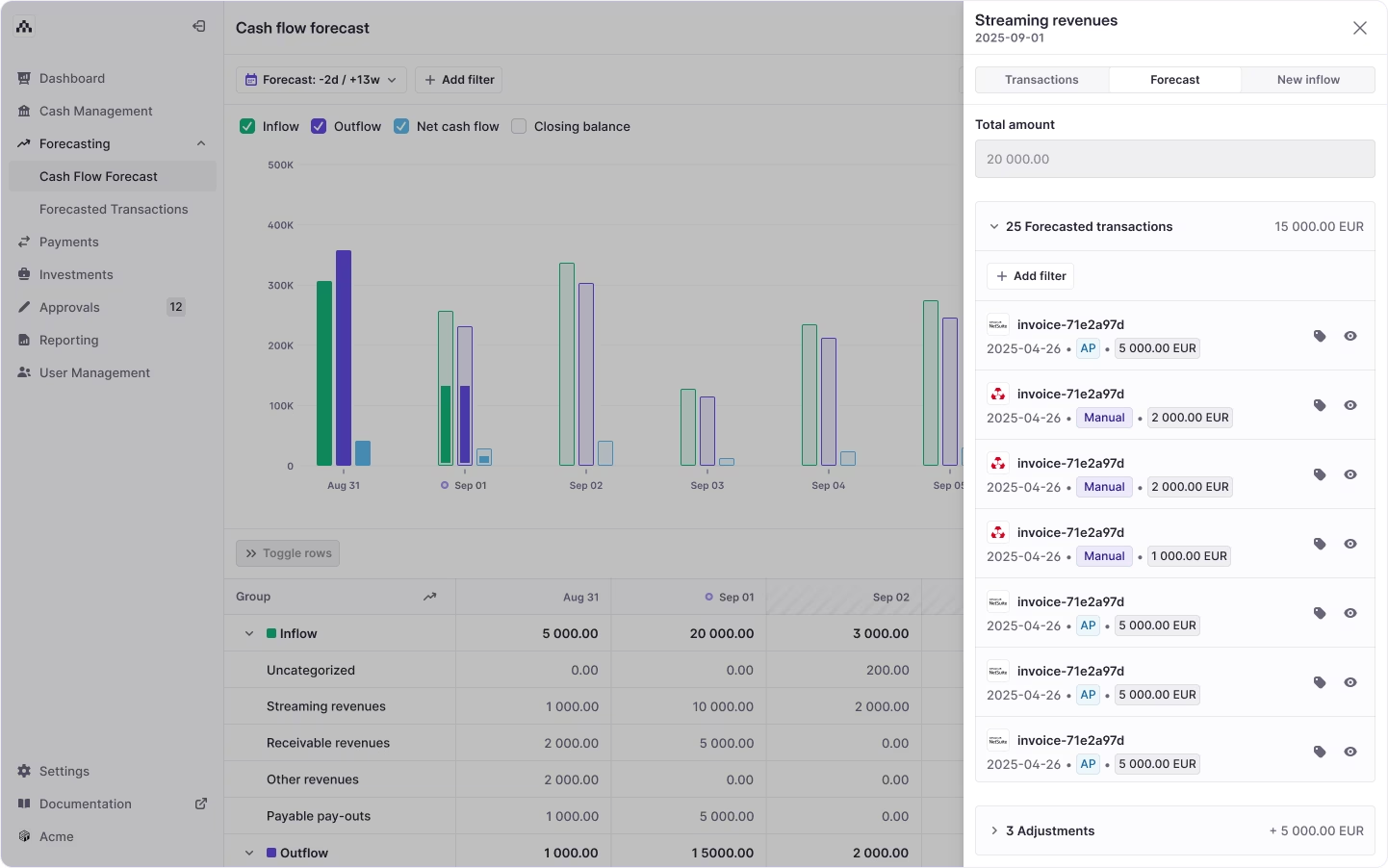
- The forecast-category sidebar now shows a total balance of transactions and adjustments, and separates forecasted transactions from uploaded adjustments.
- Filter sets can be saved and reused, and forecasted transactions can be bulk deleted.
- Other changes include expand/collapse for all groups, creating forecasted transactions at entity or account level, a clearer loading state when transactions recalculate, and more than 20 behind-the-scenes stability and performance enhancements.
- Features described as on the horizon—not yet in this release—include AR/AP forecasts that auto-update when ERP payments occur, generated baseline forecasts from historical data, deduplication across forecast sources, custom cash flow structures, and ERP forecast rule automation.
Cash flow forecasting is a foundational tool for treasury and finance teams, especially in Atlar. To better support your planning process, we've introduced a series of usability enhancements — intuitive, focused improvements that simplify your daily workflows. They’re also the first wave in a deeper evolution of forecasting capabilities at Atlar.
Our forecasting product is powered by native integrations with major ERPs like NetSuite, Microsoft Dynamics, and SAP S/4HANA, giving teams real-time connectivity to their core systems. By linking directly to your ERP and bank accounts, Atlar ensures your forecasts stay grounded in accurate data.
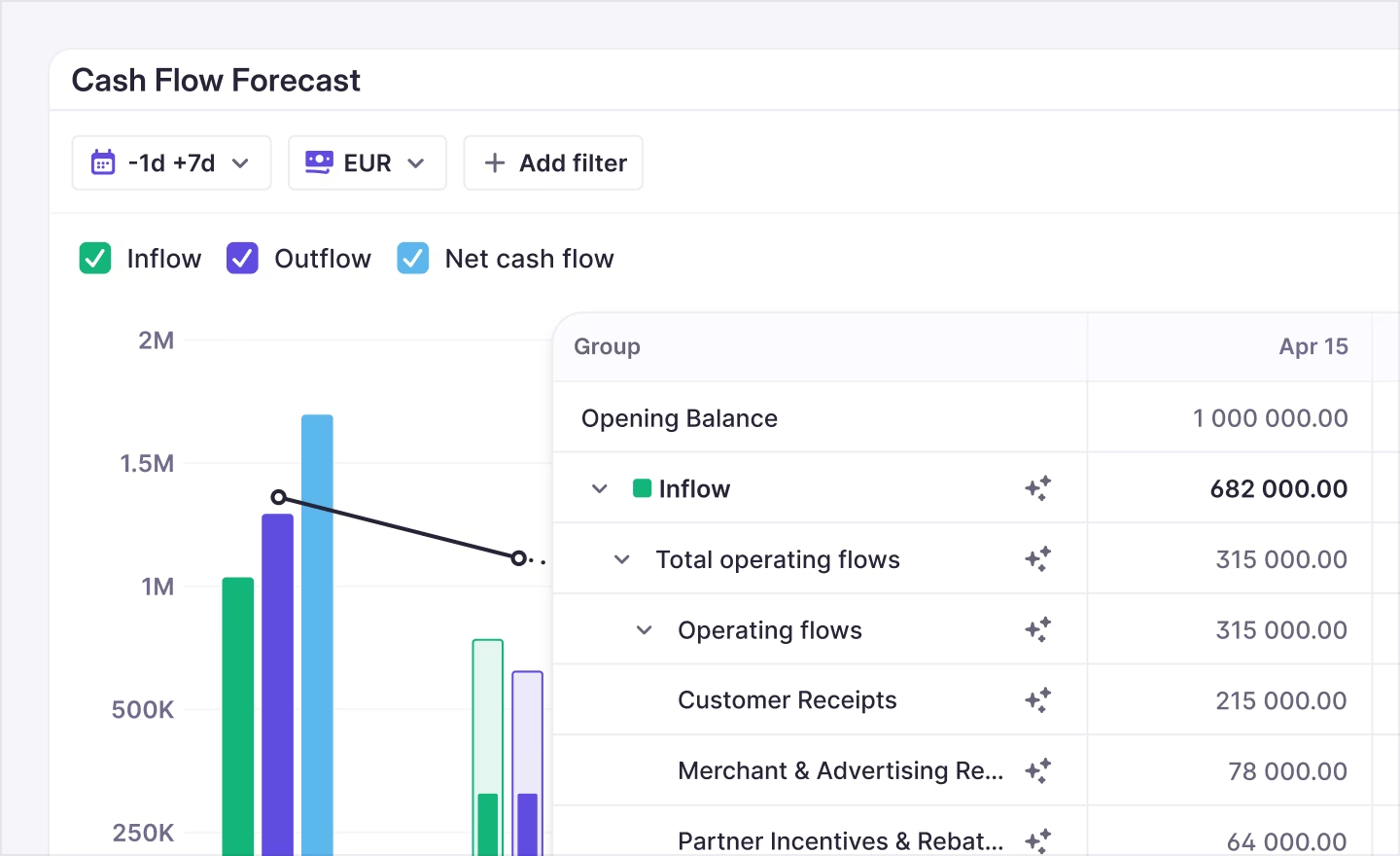
On top of that, our forecasting toolkit already includes capabilities like cash flow planning — covering scenario planning, variance analysis, and more.
A clearer sidebar with totals and separation
When you open a forecast category in the sidebar, you now benefit from:
- A total balance field that instantly shows what your transactions and adjustments equal.
- A visible separation between forecasted transactions and uploaded adjustments, so you can easily distinguish what’s predicted from what’s actual.
This clarity saves time and reduces guesswork — especially helpful when reviewing figures ahead of board meetings or reconciliations.
Save and re-use filter sets
Rather than recreating filter combinations each time, you can now save your favorite filter sets and recall them instantly. This feature is especially valuable if your team frequently analyzes forecasts by region, account, or cash flow category — helping you stay agile and efficient.
Bulk delete forecasted transactions
Misuploads or testing data can muddy your forecasts. Now, you can bulk delete forecasted transactions in just a few clicks. Comparing to past cleanup work, customers have told us this feature "cuts manual corrections significantly," making forecasting workflows much cleaner and more reliable.
Additional quality-of-life improvements
We’ve also shipped a handful of smaller upgrades that make forecasting smoother:
- Expand/collapse all groups with a single toggle — great for reviewing high-level snapshots before diving deep.
- Ability to create forecasted transactions at either the entity or account level, offering flexibility for both centralized and decentralized forecasting workflows.
- A clearer loading state when transactions are recalculated — so you always know what’s happening under the hood.
- Over 20 behind-the-scenes enhancements to improve stability and performance.
What’s next
These usability upgrades deliver immediate value: more clarity, less friction, and stronger control over your forecasts. They’re incremental improvements that build confidence—helping treasurers and finance teams trust their numbers and reduce time spent fixing issues.
But we’re just getting started. On the horizon:
- True sync with reality — forecasted AR/AP now auto-updates when payments occur in your ERP, including early or partial payments.
- Generated forecasts that leverage your historical data to create smart baseline projections.
- Deduplication across forecast sources — distinguishing system-generated vs. uploaded vs. ERP-linked items for cleaner datasets.
- Custom cash flow structures that let you define, hide, or group specific categories based on your organization’s needs.
- ERP forecast rule automation, allowing transactions to be assigned automatically to specific accounts using logic similar to today’s categorization rules.
Together, these features will elevate forecasting in Atlar — making it smarter, more dynamic, and firmly connected to your core systems.

Get started
These enhancements are rolling out now. You can explore all of them directly in your Atlar account — visit the Forecasting tab in Atlar to see the new sidebar and filters in action.
Want a walkthrough or have questions about forecasting? Book a demo or get in touch with our team. You can also learn more on our forecasting product page.