We use cookies to improve your experience and for marketing. View our Cookie Policy for more information.

Stay in Control with Notifications

Author
Louis Emmerson
Published
February 2, 2026
Last Update
September 3, 2026

Key takeaways

  1. Atlar notifications let treasury teams define rules for events that matter and receive alerts by email or in the platform, instead of hunting across bank portals, inboxes, and dashboards.
  2. Rules can start from templates for credit transfer failures, returned payments, and balance thresholds, or be built from scratch with layered conditions such as a failed transfer above €10,000 or a balance drop on a specific account.
  3. Admins can make rules targeted—sent to named users or email addresses with no opt-out—or subscribable, so the wider team can opt in from their profile.
  4. In-app alerts land in a dedicated inbox with a side-by-side preview, and each user only receives alerts for the entities and accounts they are authorized to access.
  5. Email and Slack alerts link back to the Atlar inbox so users can approve a payment, investigate a balance, or mark an item for follow-up; Slack integration is rolling out over the coming weeks.

Most treasury teams don't struggle with a lack of information. They struggle with too much of it—spread across bank portals, email threads, and dashboards. The things that actually matter get buried.

Atlar notifications give you a way to surface what's important. Set up rules for the events your team cares about, receive alerts via email or directly in Atlar, and stop relying on memory or manual checks to catch what needs attention. Slack integration is rolling out over the coming weeks.

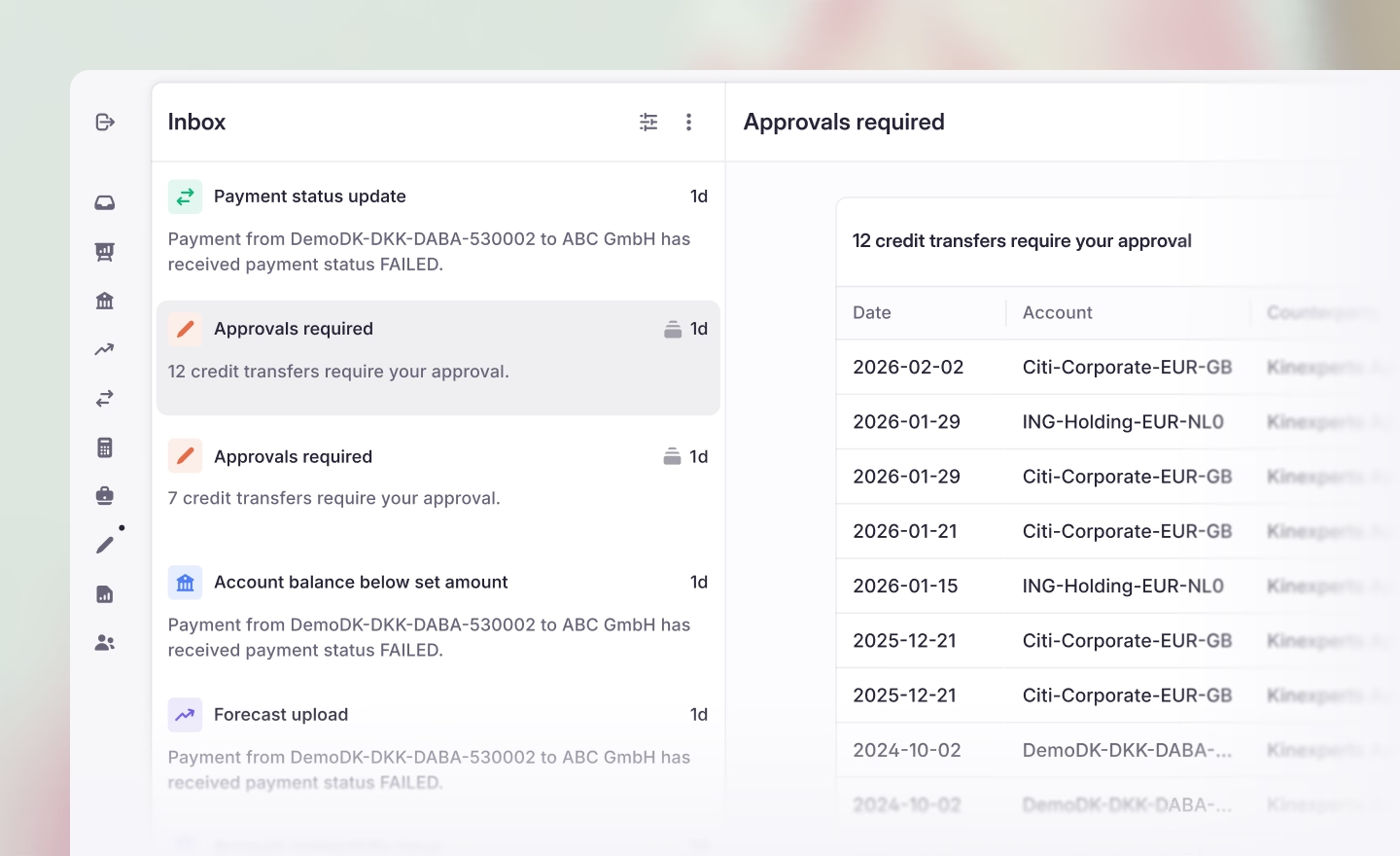
Alerts delivered via email and Slack take users directly to their inbox in Atlar

Build rules that match your workflow

Using the rule builder, you define exactly what triggers an alert and who receives it.

Start with one of the provided templates (credit transfer failures, returned payments, balance thresholds) or build a rule from scratch. Conditions can be layered: trigger an alert only when a credit transfer fails and the amount exceeds €10,000, or when a balance drops below a threshold on a specific account.

Admins can configure rules as targeted (sent to specific users or email addresses, no opt-out) or subscribable (available to the wider team to opt into from their profile). This keeps alert volume under control without risking missed signals.
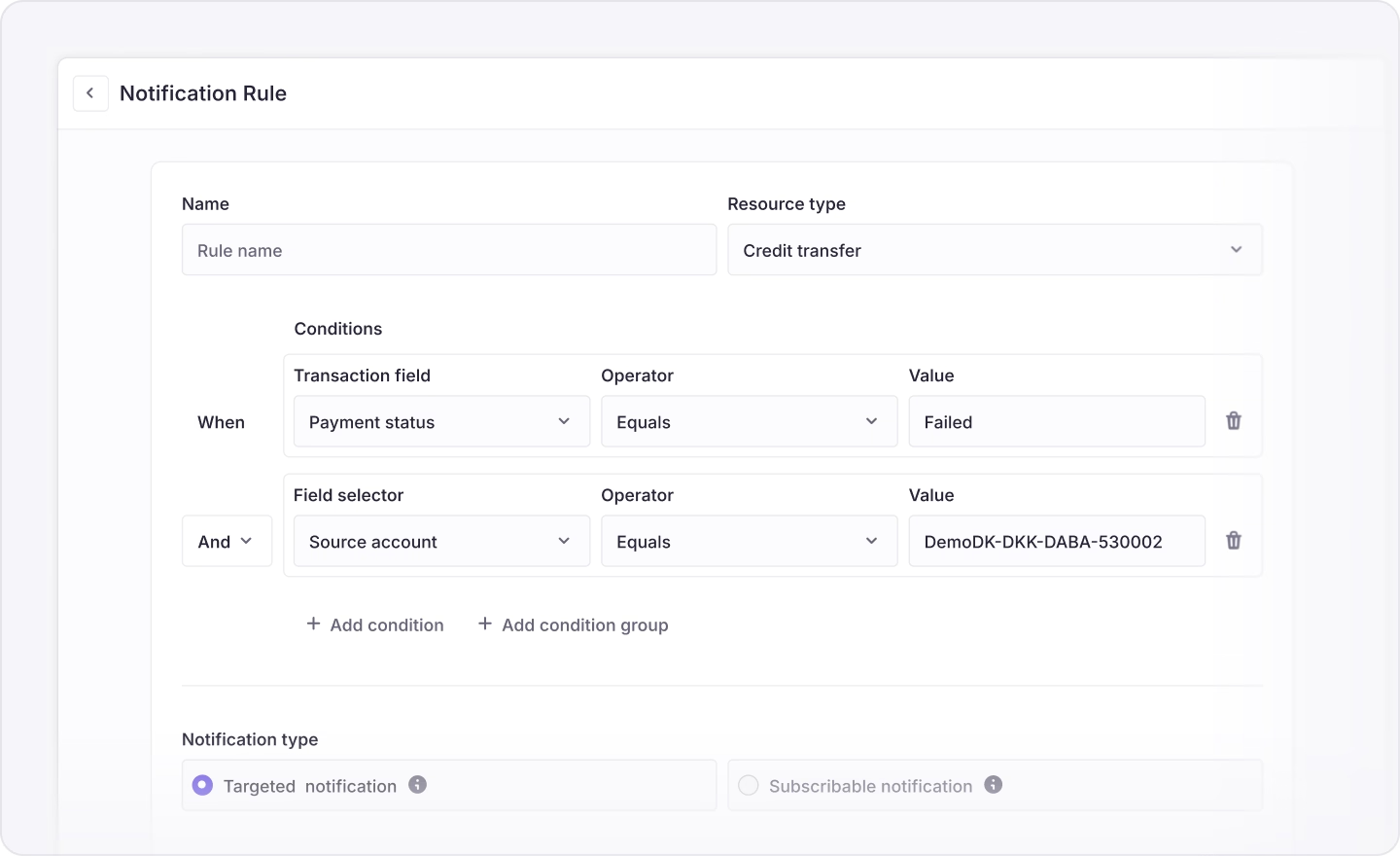
Build custom rules from scratch, or start with a template

A single place to act on alerts

All in-app notifications arrive in a dedicated inbox. Click any alert to see details in a side-by-side preview—review a failed payment or check a balance threshold without losing your place. And a broad rule like "notify on all failed payments" won't suddenly expose data to people who shouldn't see it: each user only receives alerts for the entities and accounts they're authorized to access.

Email and Slack alerts link directly to your inbox in Atlar, where you can take action—approve a payment, investigate a balance, or mark something for follow-up—without navigating elsewhere.
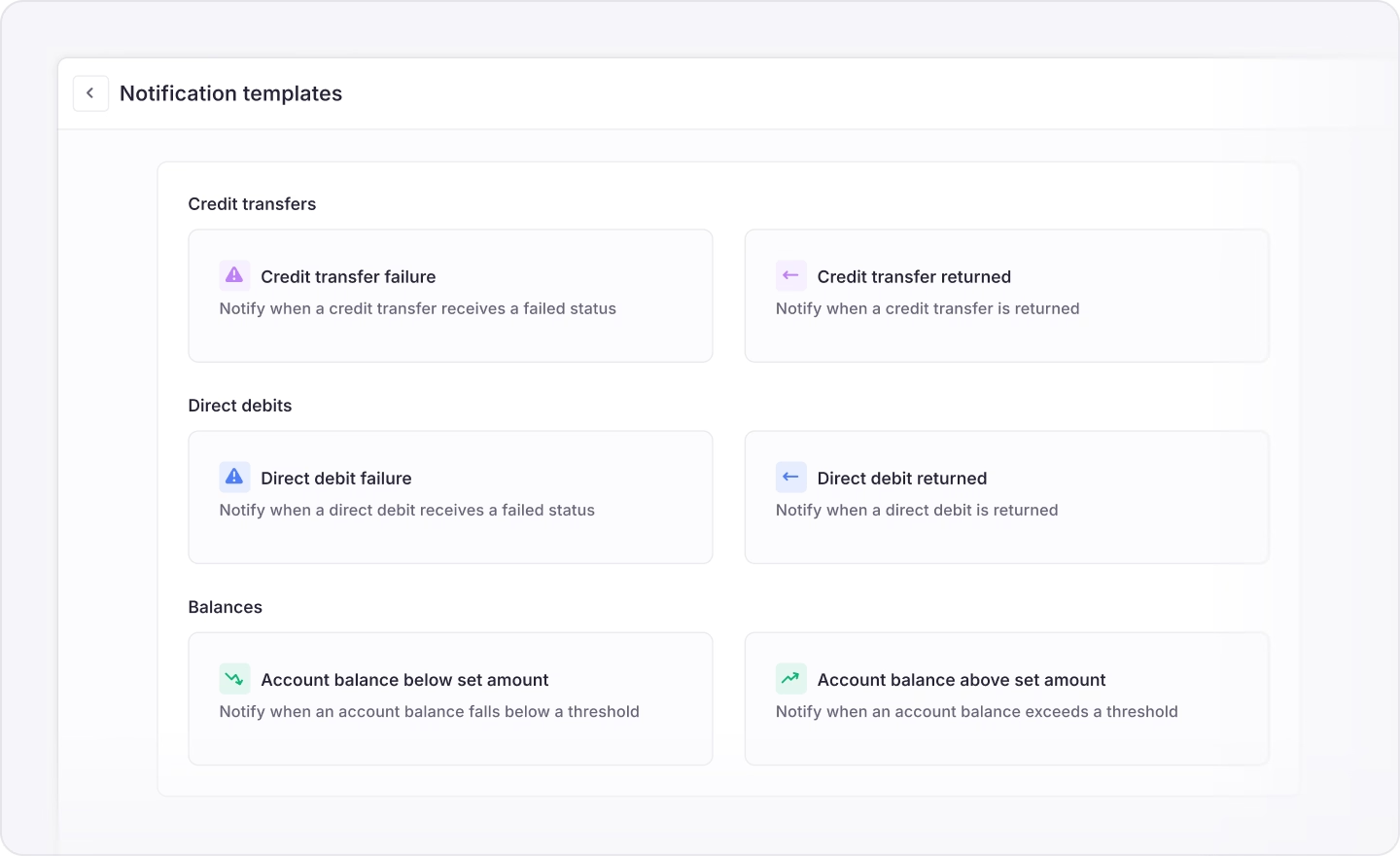
Start with templates for common alerts like failed payments and balance thresholds

Get started

Existing customers can head to Settings → Notification Setup to create rules or explore the templates. For documentation, see our notification setup guide.

If you're new to Atlar, book a demo or get in touch to see how notifications fit into the broader platform.


Louis Emmerson
Bringing over a decade of fintech experience from Uber and Adyen, Louis focuses on the practical realities of corporate money management.

Frequently asked questions

How do I create a notification rule?

Use the rule builder to define what triggers an alert and who receives it. You can start from a template for credit transfer failures, returned payments, or balance thresholds, or build a rule from scratch. Conditions can be layered—for example, alerting only when a credit transfer fails and the amount exceeds €10,000, or when a balance drops below a threshold on a specific account.

What is the difference between targeted and subscribable rules?

Targeted rules are sent to specific users or email addresses and cannot be opted out of. Subscribable rules are available to the wider team, who can opt in from their profile. This split is intended to keep alert volume under control without missing signals that must reach designated people.

Will a broad rule expose data to people who should not see it?

No. A rule such as notify on all failed payments does not expose data to users who lack access. Each user only receives alerts for the entities and accounts they are authorized to access.

Where do alerts arrive, and what can I do from them?

In-app notifications arrive in a dedicated inbox. Clicking an alert opens details in a side-by-side preview so you can review a failed payment or check a balance threshold without leaving your place. Email and Slack alerts link directly to that inbox, where you can approve a payment, investigate a balance, or mark something for follow-up.

How do existing customers turn notifications on?

Existing customers can go to Settings → Notification Setup to create rules or explore the templates. Documentation is available in Atlar’s notification setup guide.

Get fresh insights, monthly.

You can unsubscribe anytime.

Read more

September 3, 2026
Product News

Atlar is Now Official in Claude

Atlar is now available in the Claude app directory. Any customer can connect Claude to Atlar and query their accounts, balances, transactions, or forecasts.

June 9, 2026
Product News

Bring Atlar into Claude

Atlar is now available in the Claude app directory. Any customer can connect Claude to Atlar and query their accounts, balances, transactions, or forecasts.

April 23, 2026
Product News

New in Atlar: Deeper Forecasting, Dark Mode, and FX Providers

What's new in Atlar: deeper forecasting, FX providers, payment schedules, dark mode, and improvements across the platform.

See Atlar in action.

Enter your work email to watch a live product demo.

Work Email
Phone Number (Optional)
Thanks, you will receive an invite email soon.
Oops, something went wrong. Try again with your work email.